>
>
The Flowtica Scribe AI Pen: The "Invisible" Assistant for the Analog Soul
The Flowtica Scribe AI Pen: The "Invisible" Assistant for the Analog Soul
A research-based look at the Flowtica Scribe AI Pen. Discover how this "stealth" gadget uses AI to transcribe meetings while you write with real ink.
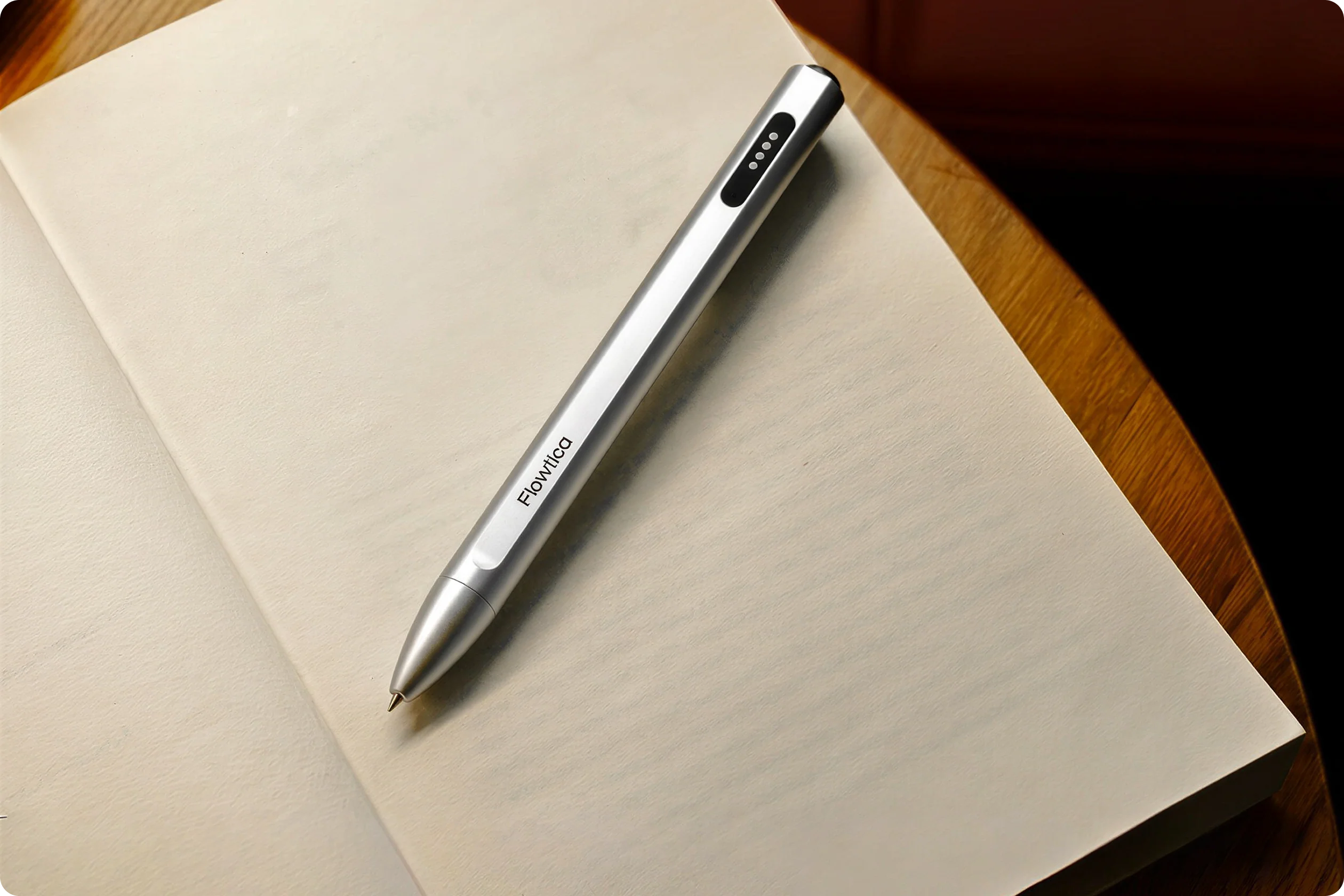
I’m always on the hunt for that one piece of tech that actually makes life easier without adding another screen to stare at. You know that feeling when you’re in a great meeting or a deep brainstorming session, scribbling notes as fast as you can, only to realize you stopped listening five minutes ago because you were too busy writing? I recently stumbled upon the Flowtica Scribe AI Pen, and it immediately caught my eye because it tackles that exact "frantic note-taker" anxiety. It’s designed for those of us who still love the feel of a real pen on paper but desperately need a digital safety net to catch what we miss.
After diving deep into the reviews, community threads, and hands-on reports from early adopters, I’ve put together this breakdown of what this gadget actually brings to the table. This review is based on extensive research of the current landscape—from publication deep-dives to Reddit feedback—to see if this "AI Pen" lives up to the hype.
Initial Impressions: At first glance, it’s a masterclass in "stealth tech." It looks like a high-end executive pen, but it’s packed with a recording and transcription engine that aims to turn your messy meetings into structured action items.
Price: $159.00
Official Website: Flowtica Official
Key Specs
Spec | Flowtica Scribe |
|---|---|
Size | 151 × 12.7 × 16.3 mm |
Colors | Silver Grey / Satin Gunmetal |
Weight | 34.5g |
Microphone | 1 MEMS |
Battery | 280mAh |
Continuous recording time | 30 hours |
Standby time | 5600 hours (233 days) |
Port | Magnetic Port |
Connectivity | Bluetooth Classic / BLE / Cable |
Storage | 32GB (FAQ) / up to 4,000 hours of audio |
Warranty / Returns | 12‑Month Warranty & 30‑Day Money‑Back |
Design Review: A Masterclass in Stealth
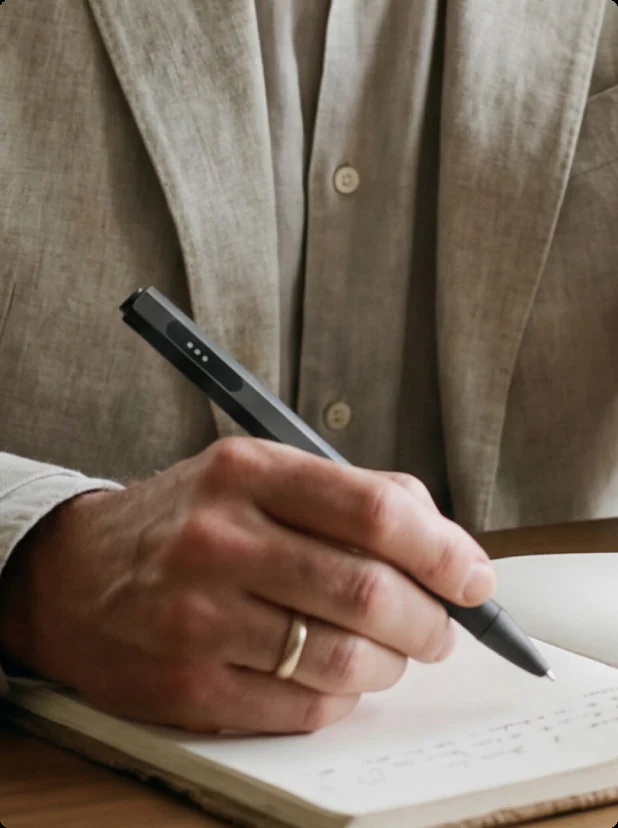
The most impressive thing about the Scribe, according to almost every reviewer, is that it doesn't look like a gadget. It’s a sleek, professional writing instrument that fits perfectly in a boardroom or a lecture hall without screaming "I'm recording you."
Build Quality: It has a satisfying weight and a "twist-to-write" mechanism that feels premium.
Ergonomics: Because it doesn't have a camera to track your handwriting, it stays slim and comfortable for long writing sessions.
Ease of Use: A single button press starts the recording, and a side button—the FlowMark™—lets you tag important moments in real-time.
Performance Review: What the Research Says
Since I’m looking at this from a research perspective, the consensus on performance is clear: the AI is the star, but there’s a catch you need to know.
Transcription Accuracy: Reports indicate the dual-microphone array handles noisy environments (like cafes or lecture halls) surprisingly well, delivering clean audio for the AI to process.
The AI Workflow: Once you sync with the app, the AI doesn't just dump text; it creates structured bullet points and "Action Items." It can even sync these tasks to Apple Reminders, which is a massive win for productivity.
The Big Caveat: It is vital to understand that this pen does NOT digitize your handwriting. Your ink stays on the paper. The "AI" part refers to the audio recording and the app-based processing of the conversation happening while you write.
Comparisons: Two Alternatives
1. Plaud Note (The "Card" Recorder)
If you don't care about the pen form factor, the Plaud Note is a popular alternative that sticks to the back of your phone.
Pros: Offers more visual AI outputs like "Mind Maps."
Cons: It’s another separate device to carry and doesn't help you take physical notes.
Best For: Those who want the best AI summaries without needing a writing tool.
2. ReMarkable 2 (The Digital Tablet)
For those who actually want their handwriting to be digital.
Pros: Digitizes every stroke and offers a distraction-free e-ink screen.
Cons: Much more expensive and doesn't focus on audio AI summaries in the same way.
Best For: People who want to replace physical paper entirely.
Verdict / Summary
The Flowtica Scribe is for the "Analog Soul with a Digital Goal." It’s for the person who thinks better with a real pen in their hand but needs the speed of AI to organize their life.
Who it’s best for: Professionals and students who take physical notes but hate re-typing meeting minutes or lecture highlights.
Biggest Strengths: Premium build, "invisible" tech, and highly structured AI summaries.
Potential Drawbacks: No handwriting digitization; currently limited Android support.
Final Recommendation: If you go into this knowing it’s a world-class recording and summarization tool—and not a digital stylus—it’s one of the most practical productivity upgrades of the year.
Check out the Flowtica Scribe AI Pen
About
Featured Posts